
 info@macroagilityinc.com
 416-900-7804
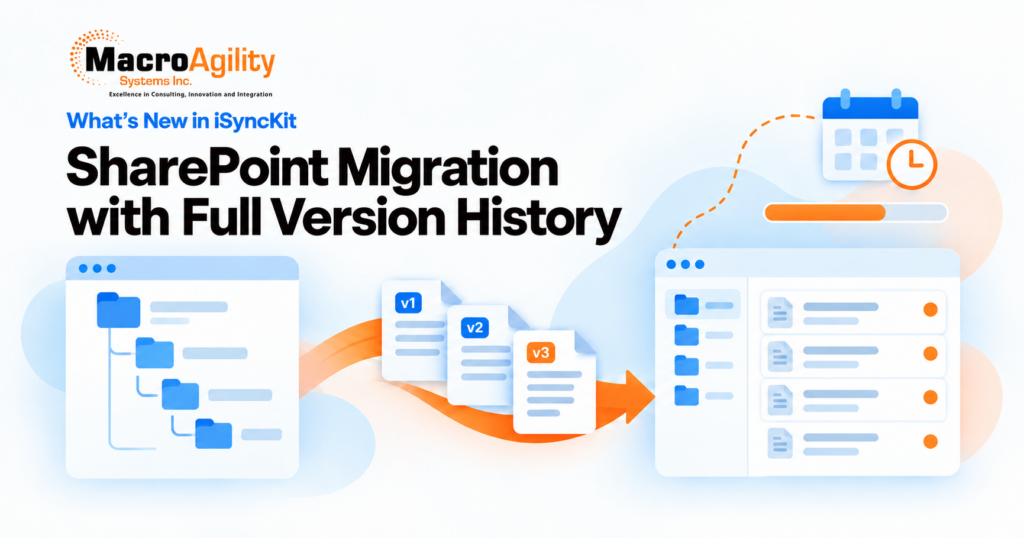
New iSyncKit enhancements bring multi-site SharePoint migration with full version history, scheduled Workspace Generator reports, and expanded automation across Security Update, Profile Update, Export Pro, Import Master and Archive Solution
At MacroAgility Systems, we continuously strive to streamline document management and improve efficiency in iManage. Our latest iSyncKit updates introduce complete SharePoint version migration, scheduled and emailed reports, a Lawmatics connector, scheduled jobs with real-time progress tracking, and a rebuilt Archive Solution workflow, all designed to give iManage administrators more control with less manual effort.
Here’s what’s new.
1. FileShare Migration – Move SharePoint to iManage With Complete Version History
Migrating from SharePoint no longer means losing your document history. FileShare Migration now supports multiple SharePoint sites and document libraries, and can bring across every version of every document, not just the latest.
With this enhancement, users can:
- Choose the latest version or all versions when collecting documents
- Collect both major and minor SharePoint versions, keeping published and draft versions
- Consolidate all versions into one iManage document, numbered sequentially from oldest to newest, instead of creating duplicate documents
- Preserve version-specific authors, dates and mapped metadata, with the correct file content retrieved for each historical version
- Reuse your existing SharePoint field mappings, which are applied to every version with no rebuilding
Delta collection identifies and migrates only newly added versions, so follow-up migrations are faster, and paged collection with batch processing keeps large repositories reliable. The result is a migration that preserves a complete, audit-ready history and a version list that is easy for users to navigate in iManage.
2. Workspace Generator – Scheduled, Emailed and Exportable Reports
Recurring reports no longer need someone to run them by hand. Workspace Generator custom reports can now be:
- Scheduled to run automatically
- Emailed to stakeholders when complete
- Exported so results are easy to share, archive and analyze outside Workspace Generator
Stakeholders get their reports consistently and on time, and your team gets hours back.
3. Workspace Generator – Lawmatics Connector and More Flexibility
Workspace Generator now connects with Lawmatics.
- Authenticate with Lawmatics and fetch matters marked as Hired
- Map fields such as Client ID, Matter ID, Client Name and Matter Description to iManage workspace metadata
- Create or update workspaces automatically from Lawmatics data
Also new: support for Class and Subclass when identifying email folders, and a custom CSV file separator (comma, pipe and others), including comma-separated files with quoted fields.
4. Security Update and Profile Update Web Extensions – Bulk Changes Without Leaving iManage
Updating security or profile values across workspaces and folders no longer has to be an admin-only task. Security Update and Profile Update are now available as dedicated iManage Work Web Extensions, so users can start a job right where they work, using predefined settings.
With this enhancement, users can:
- Run or Collect Only using the Default Settings your admin has set up
- Track progress in real time with percentage complete, estimated time remaining, and Stats on demand
- Retry Collection Errors and Run Errors separately for faster recovery
- Stay in control, with library-based job visibility and permissions so users only see their own jobs
Admins can create reusable Default Settings for both tools, in the same way as Export Master and Import Master, and decide which users or roles can use them.
Both tools also now have their own page under Sync Tools, with progress bars, Schedule for Later so large updates can be queued and run sequentially, and an enhanced Reports page to filter records and export selected records to CSV. Security Update adds View Security to compare old and new security before or after processing.
5. Checked-Out Documents – Unlock and Move On
Checked-out documents are one of the most common reasons a bulk update stalls. Security Update and Profile Update now handle them directly.
- Unlock all checked-out documents, or unlock only those not modified in a set number of days
- Review locked documents from the Stats popup, including document number, version and modified date
- Unlock with one click and continue processing without leaving the web interface
6. Export Pro – Say Goodbye to Long File Path Failures
Exports that fail because a path is too long are now a thing of the past. Smart Long File Path Management identifies paths over 254 characters and recommends the best trim values for workspace, folder and document names.
With Export Pro, users can:
- Auto-Adjust Long Path to apply safe trim values automatically while preserving as much of the original path as possible
- See the Longest File Path right in job settings
- Know what to expect with Stats showing workspace, folder and document counts, total export size and estimated time remaining
- Review more detail with an expanded Report page, including Export Path, Invalid Path, Collection Status and Run Status
Export Pro also now has its own entry in the navigation with a dedicated jobs page and live progress bar.
7. Import Master – Schedule It, Collect It, Watch It
Regular imports into iManage can now run without anyone pressing a button.
- Schedule jobs to run later or on a recurring basis
- Collect Only to gather and review records before importing
- Progress bar and estimated time remaining while a job runs
- Total Size in Stats so you know how much data is coming in
Whether you are continuously syncing or breaking up a large job, you now have more flexibility and control.
8. Archive Solution – A Complete Archive Workflow
Archive Solution now has a dedicated navigation section, job page and workflow for licensed users.
- Collect, Validate, Migrate and Run, with separate retry actions for collection and migration errors
- Metadata Validation that finds missing metadata after collection, so you can create it in the target or map it to an existing value before migrating
- Advanced Profile Mapping by manual entry, CSV bulk import or from existing jobs
- Delete from Source and Rollback, with clear warnings, available only after content has been migrated successfully
- One Reports page for both Collection and Migration
Also in This Release
- Uplift Migration: File Type mapping in Profile Mapping, so source document types can be mapped to new target types and post-migration cleanup is avoided
- FileShare Migration: a new option to preserve UTC file dates from CSV files without conversion
Ready to explore these new features? Contact us today to learn how these enhancements can streamline your document workflows in iManage Work.
About MacroAgility Systems: MacroAgility Systems Inc. is a trusted partner in legal technology solutions, specializing in workflow automation and system optimization. Our mission is to empower organizations with innovative tools that enhance productivity and efficiency.
Contact Us: https://www.macroagilityinc.com/contact-us/
Phone: 416-900-7804 and press 0
Email Us: info@macroagilityinc.com

 Phone
Phone Email
Email